adjusting cues on EN4 without disabling

Sorry, a new onyx user and new to dmx in general! I have a bunch of cues for my 4 cameo lights set up on my EN4 by someone with a flx s24. (Which randomly I still have, but the touchscreen is a bit broken… whole other story).

I want to figure out how to save these cues down to onyx, as I have my nx touch, and want to use onyx as my main software of choice.

Can I recall my EN4 cues and then pull that info into onyx? Is it happening already and I just don’t notice it? Also I found that to move the lights from onyx on my pc I have to set the EN4 to disable cues. is there a setting (maybe in EN4 ) to allow override once in cue position? I am using onyx networked to EN4. I did add my nx touch to a dmx port, but tbh, not figured out how to use the touch quite yet, that needs to be later in my learning. When I plug the flx into the dmx port I can control through this no worries. (Although, I also don’t have much of an idea how to use the flx and as I mentioned it’s limited due to the touchscreen being a bit busted). I am mainly trying to control dark when move on my cameos, but I will post that as a separate question.

Software Version:
NX Console Type or PC OS Version:

Hi @Daveyp

This requires a fair bit of configuration, but is possible, and probably quicker than reprogramming your cues from scratch.

The first thing you will need to do, is patch your fixtures into ONYX as normal. Then, connect your EN4 to your ONYX PC via a single Ethernet cable, and configure the network settings on both devices. For example, EN4 on 192.168.0.10, and your PC on 192.168.0.20, both with a subnet mask of 255.255.255.0.

In ONYX, go to Menu > EtherDMX > Settings, and enable sACN input…

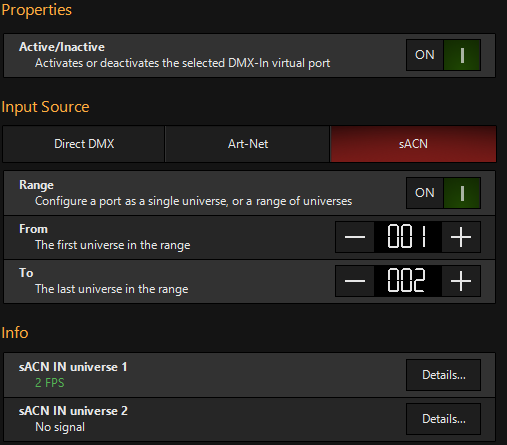
Then go to Menu > DMX In > Routing, and enable Port 1. Set it to sACN, and set the range of universes, to the range of universes configured on the EN4…

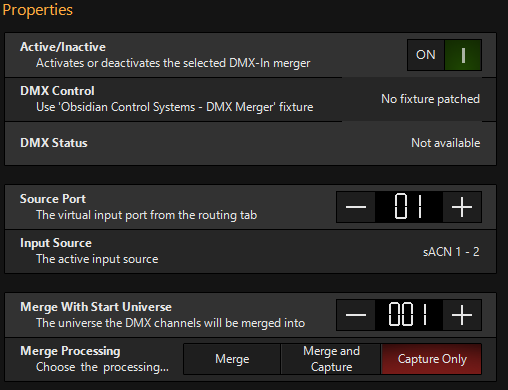
Then go to the Mergers tab, and enable Merger 1…

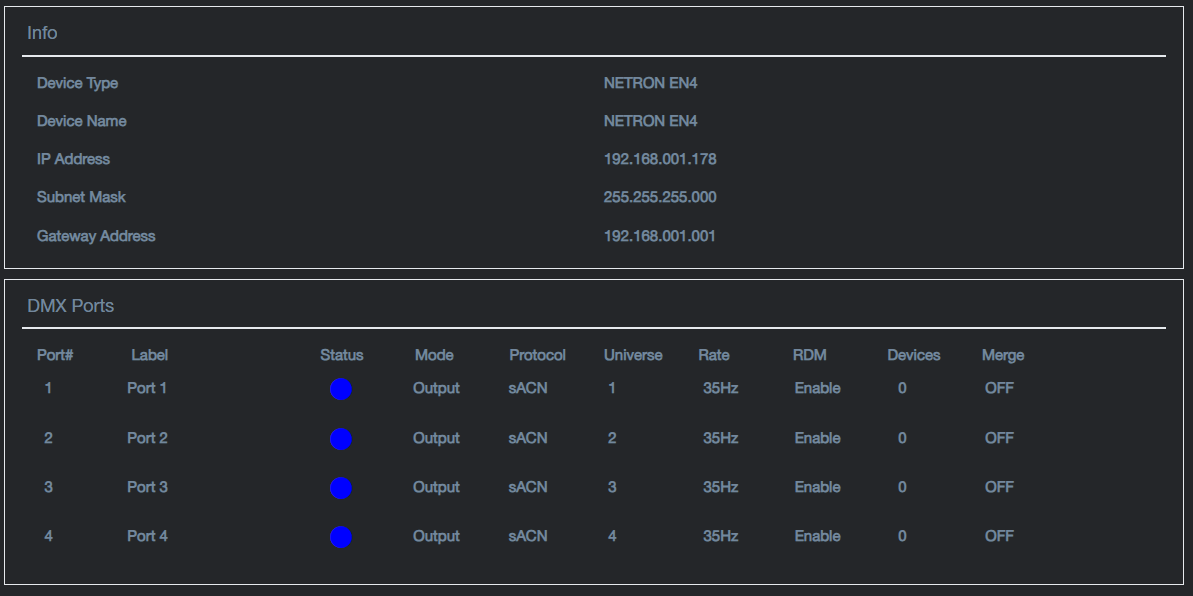
Connect to your EN4’s webpage, and make sure that the output ports are also set to sACN.

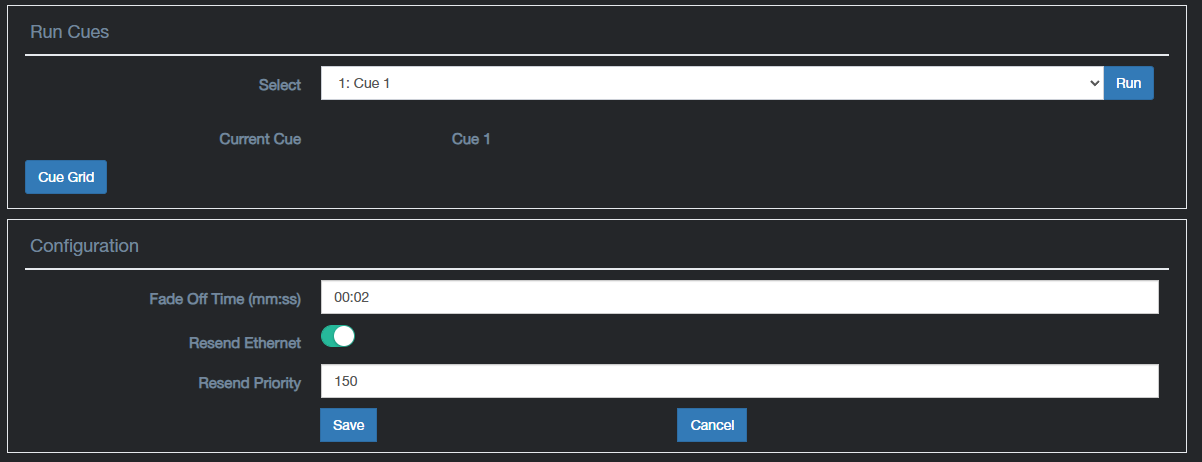
Then go to Cues > Run Cues, and enable Resend Ethernet, and click save…

Then choose a cue, and click Run.

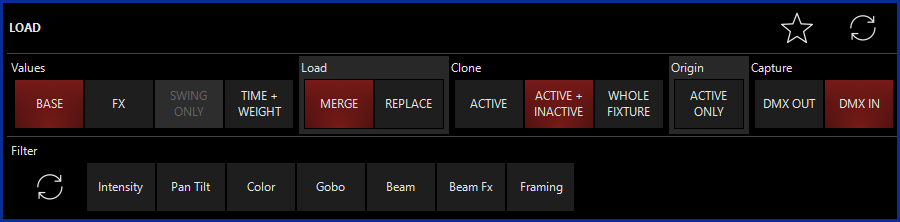
In ONYX, exit the Menu, and view the Programmer window. Then tap LOAD, and choose “DMX IN”, followed by enter…

You should find your cue values are then brought into the programmer. You can then store this as a cue in ONYX.

In the latest firmware for the Netron EN4, you have the ability to choose whether Cues take Priority, or whether the incoming DMX has priority. You could therefore configure the EN4 to only output cues when incoming DMX is not present.

Please watch these training videos for more information…

FLX S consoles actually use a Raspberry Pi touchscreen. Therefore if you are comfortable with opening the console, you may be able to replace this yourself.

I hope this helps. Please let us know if you have any questions.

Edward

Hi Edward,
Firstly thank you so much for taking the time to reply to me. I conveyed my questions pretty badly, and you have done a great job picking through them an answering them.
I am going to try and test all this next week.

  1. Be great to capture the cues into onyx, so I will try this first.
  2. I will definitely update the EN4 as you mentioned, however I did notice that it said on the website V2 saves won’t work with V3, which is why I want to save cues to ONYX first, to then recall them to save with the new version of the CLI software for the EN4.
  3. I will test the ability to get ONYX via the web to override the EN4 once I get the new firmware on.

Hi @Daveyp

No problem at all. Please let us know how you get on.

This makes perfect sense.

Edward